2026-03
Iteration: 2026-03
March 3rd, 2026
Whats New?
REST API for the integration with the ECI Billing System
Improvements
|
|
|
|
|
|
|
|
|
|
|
Fixes
|
|
|
|
|
Features & Fixes Details
REST API for the integration with the ECI Billing System
When connecting with the ECI Billing System, it is now possible to choose between SOAP and REST. This switch is going to be available under Utility Manager. Although the development is finished, fully testing is needed, therefore, this setting won’t be available for users yet.
Decimal places adjustment for prices
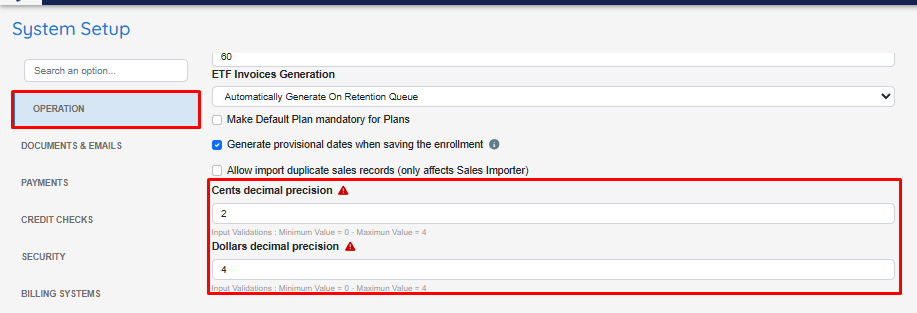
New settings under System Setup: Cents decimal precision and Dollars decimal precision: These allow choosing how many decimals are presented for each currency (Between 0 and 4).
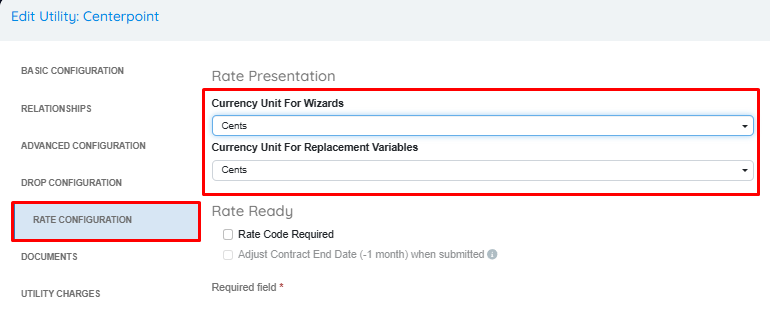
The existing configuration for traunch decimals under Utility Manager has been replaced with two new settings: Currency Unit For Wizards and Currency Unit For Replacement Variables. Both allow choosing between Dollars and Cents independently and they do not only apply to traunches, but also to every other variable that shows price per unit of measure.
All the duplicate variables have been merged back to a single variable. This means that every use of RATE_CENTS and RATE_DOLLARS is replaced with RATE, and the real value presented depends on whether the utility indicates if price should be in dollars or cents, and the global config determining how many decimals are needed.
VERY IMPORTANT INFORMATION: Existing variables in documents and autoresponders will be automatically migrated when deploying this release to production. Once the new update goes live, users must adjust utilities and global configurations to prevent documents and autoresponders from presenting incorrect information as soon as possible.
Feature to retain emails for manual review
Emails can now be created with an “On Hold” status instead of Pending to review them and manually release them. To accomplish this, it is necessary to activate the new checkbox Retain emails for manual review that has been added to the Autoresponder Packages UI:
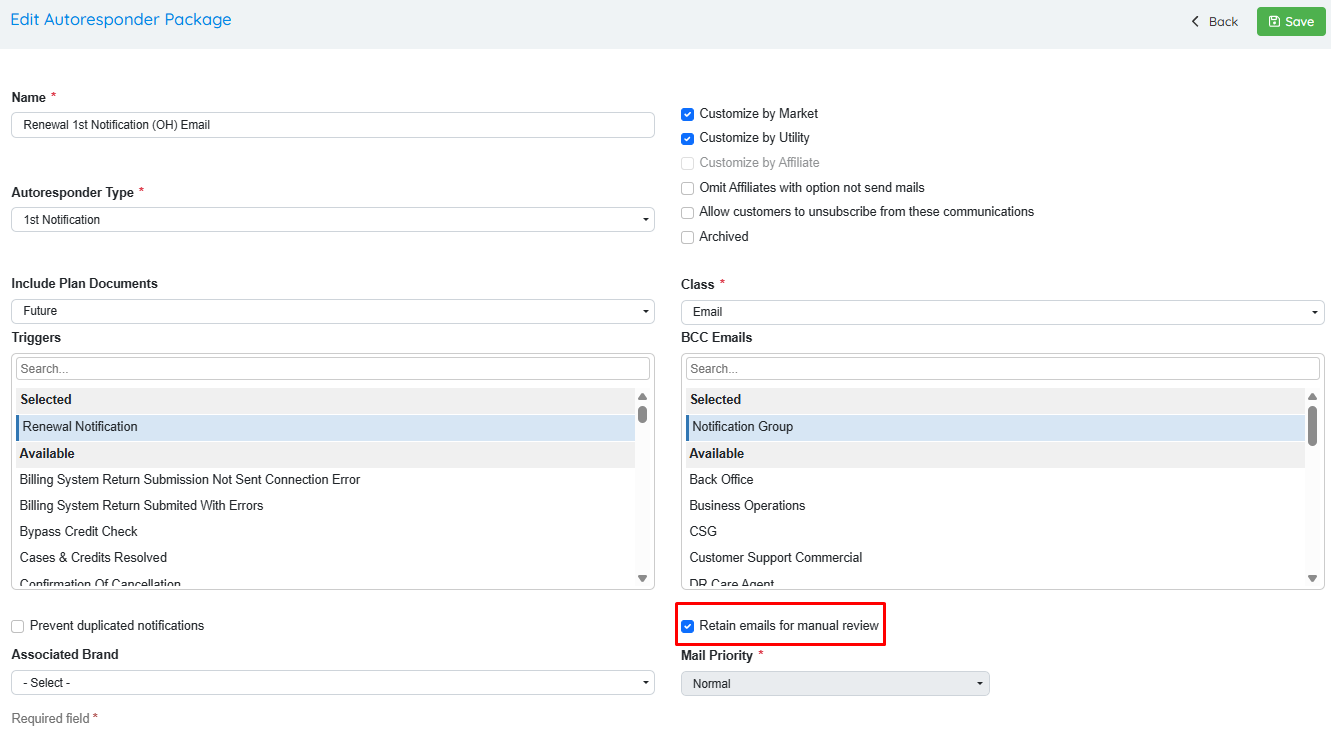
This status change applies only to emails meaning that it does not affect the status of enrollments, payments, integrations with third parties, etc.
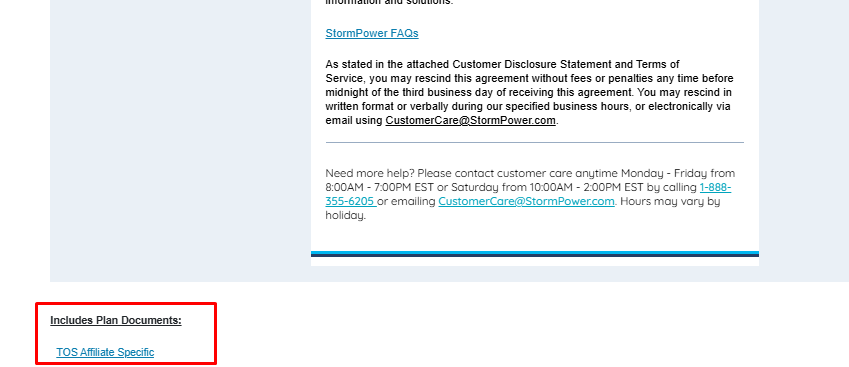
Additionally, since users will be making more use of the Preview Email functionality in Email Manager, the preview now includes the email attachments:
Improved Autoresponders and Dynamic Templates preview
The “Generate Sample” option for Autoresponders and Dynamic templates has evolved. It is now possible to see a preview of the document on the same HTML editor. It can be used with real data (Providing a confirmation number/Prospect ID) or sample data from OpsAdmin.
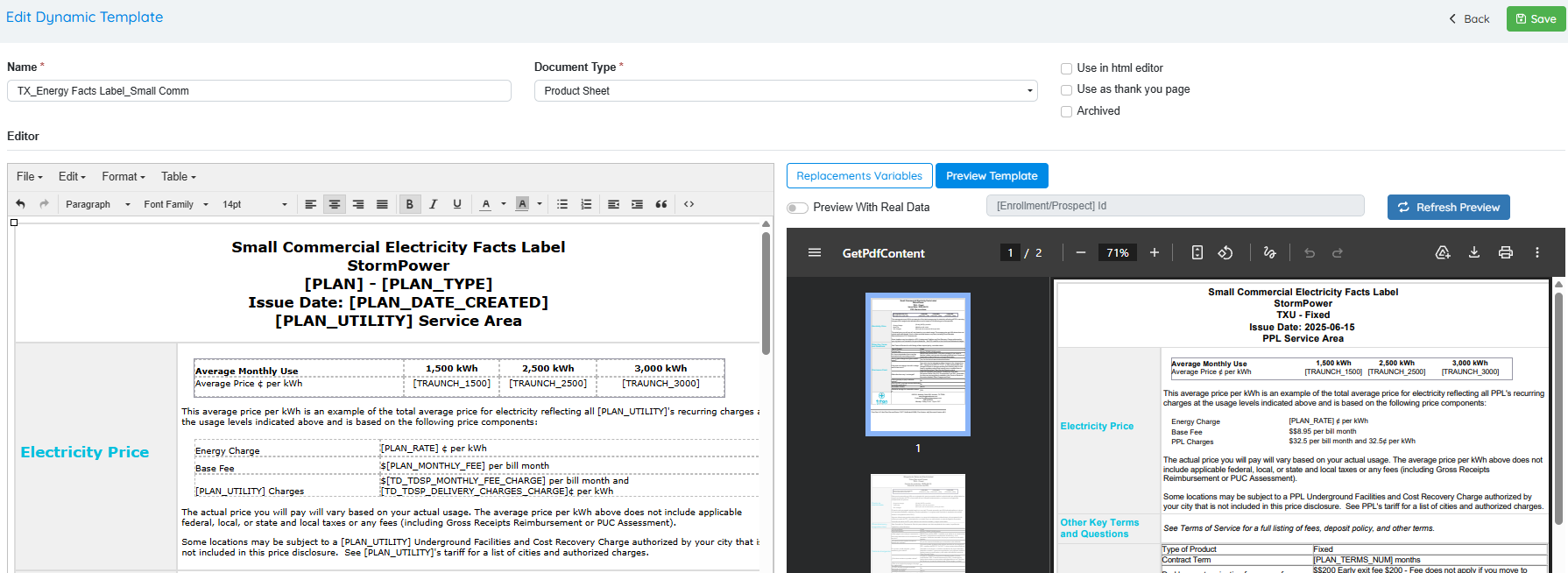
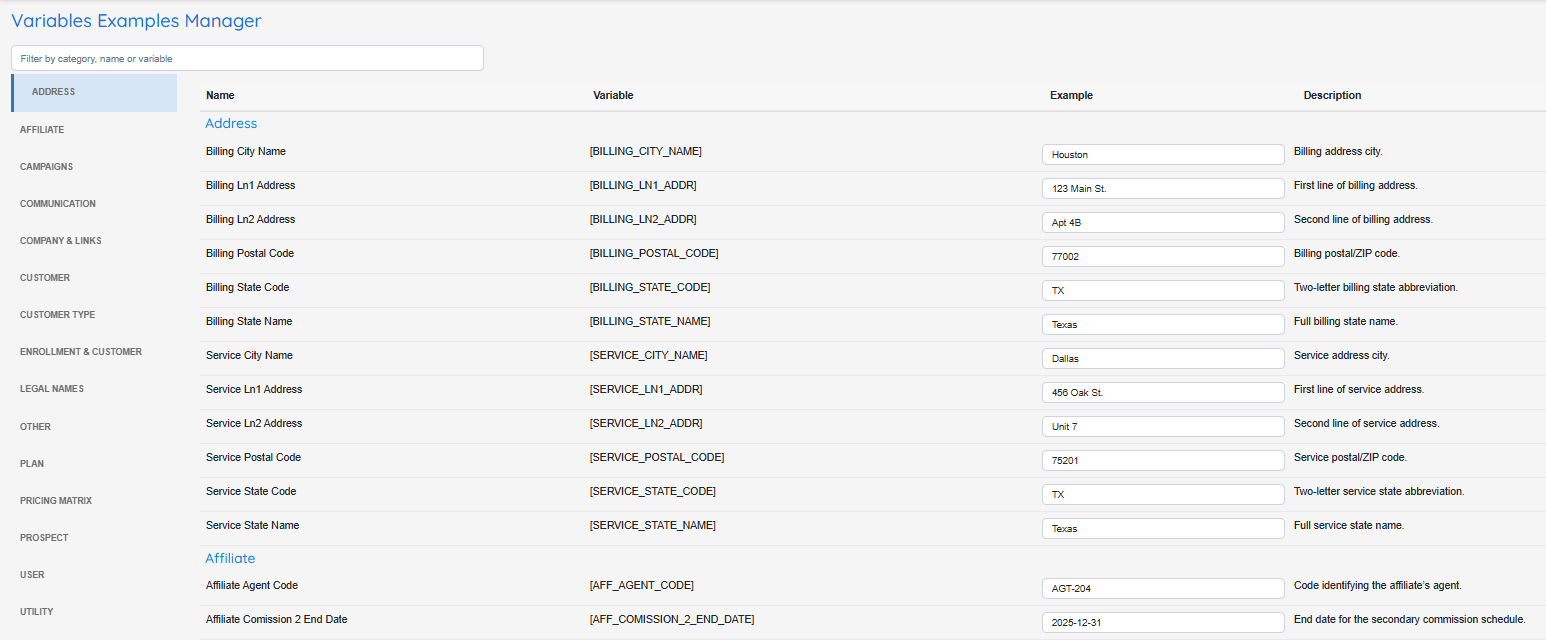
Variable Examples Manager
The sample data displayed on the document preview can be fully customized from the new Variable Examples Manager screen located under Documents >> Settings. There is a description of each replacement value that might be helpful when creating documents and autoresponders. These samples will be displayed in the aforementioned feature that displays the preview of changes made on the right hand side of the screen.
Enhancements for the Renewal Accepted status when connecting to the ESG Billing System
When submitting Renewals and PPUs to the ESG Billing system, as soon as the new enrollment is flowing, the automated job updates it to Renewal Accepted. This helps tracking which enrollments have been approved/confirmed in the ESG Billing System without waiting for the renewal to start flowing.